Documentation menu
Kudos
Kudos shows who thanks whom. Agile Analytics counts the kudos people give each other in Slack and turns them into a leaderboard, so you can see whether successes are celebrated and shared. Teams that recognise each other are more engaged and productive.
Setting up
- Install the Agile Analytics app in your Slack workspace: Connect Slack.
- Invite the bot to the channels where people thank each other: type
/invitein the channel and pick Agile Analytics. The bot only reads channels it was invited to. - Choose which emoji count as kudos under Settings → Kudos. The default is 👍.
- Invite your team members to Agile Analytics, so their kudos are counted: Invite your team.
The page
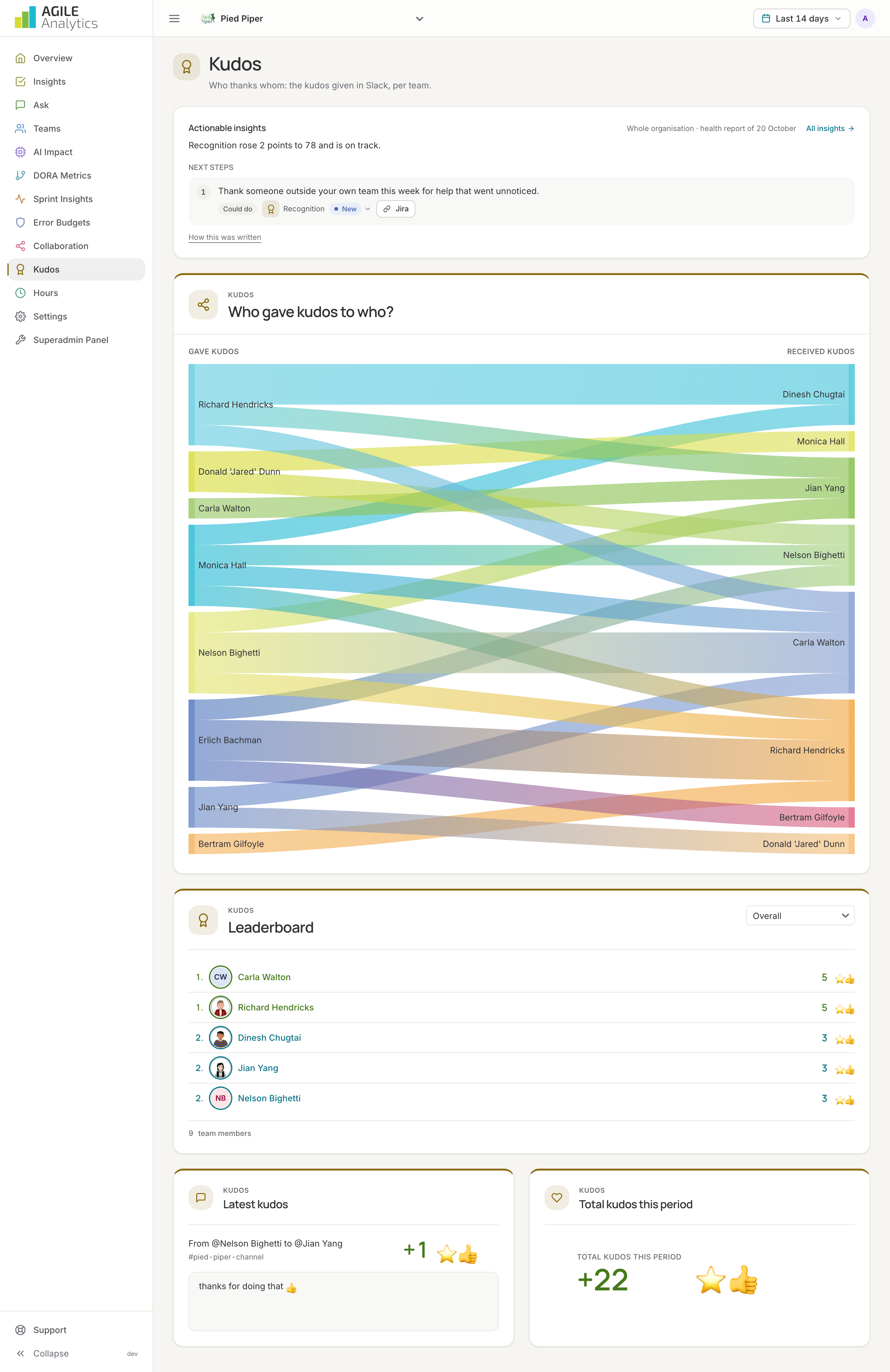
- Total kudos this period and the latest kudos: who gave them to whom, in which channel.
- Leaderboard: the people who received the most kudos in the period, per team or for the whole organisation.
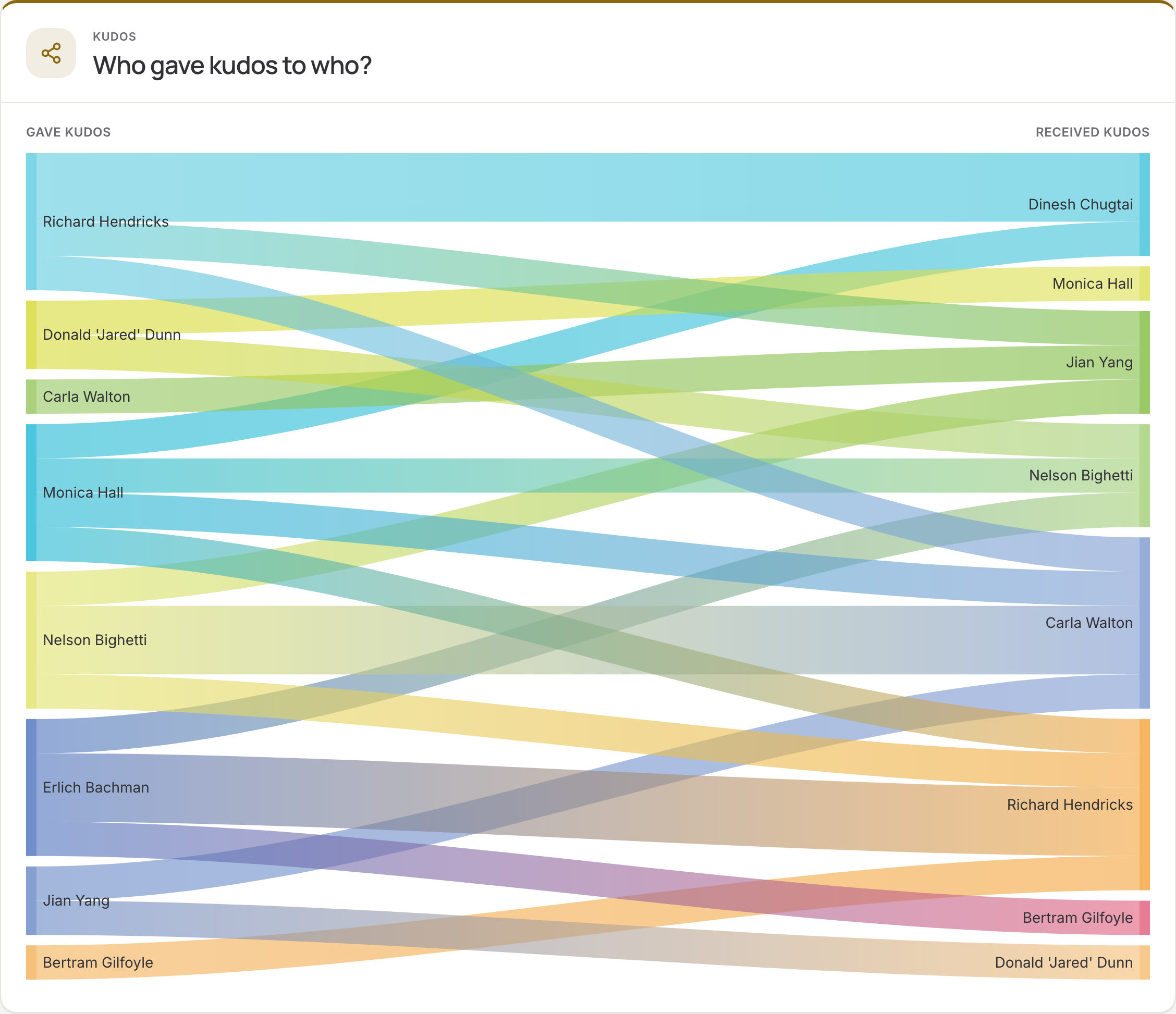
- Who gave kudos to who?: a flow diagram from givers to receivers. Hover a band to see how many kudos went from one person to another.
In Slack, /agile top shows the leaderboard and /agile me your own kudos.
How kudos are counted
| In Slack | Counted as |
|---|---|
| A message that mentions a person and contains a kudos emoji: Thanks @Dinesh 👍 | One kudo for every mentioned person per emoji in the message: three emoji give three kudos |
| A kudos emoji reaction on a message | One kudo for the author of the message |
| A kudos emoji reaction on a message that mentions someone else | One kudo for every person mentioned in the message, not for its author |
| The reaction or the emoji is removed | The kudo is taken back |
Reacting to a message that tags someone gives the kudo to the tagged person, not to the author. To thank the author of such a message, reply with a mention and an emoji.
Where kudos are used
- Recognition, one of the eight health areas: the share of team members who received kudos in the last 30 days.
- The Recognition tile and the latest highlights on the overview.
- The weekly e-mail and the assistant.